Apple Automation Scripts · iOSNo-jailbreak, proxy/BT/OTG modes, mirroring, batch ops
View all 56 →Buying Too Many Devices: Five Costs in Apple Cluster Control
What does buying too many devices actually cost? Idle stock, non-linear maintenance, accounts lagging, the wrong jobs taken to fill capacity, a slow exit.
Apple cluster controlscript stabilityFailed Overnight: Setting Up Failure Alerts for Apple Cluster Control
Unattended running does not depend on scripts never failing — it depends on knowing when they do. Make failures visible, push them out, and grade them.
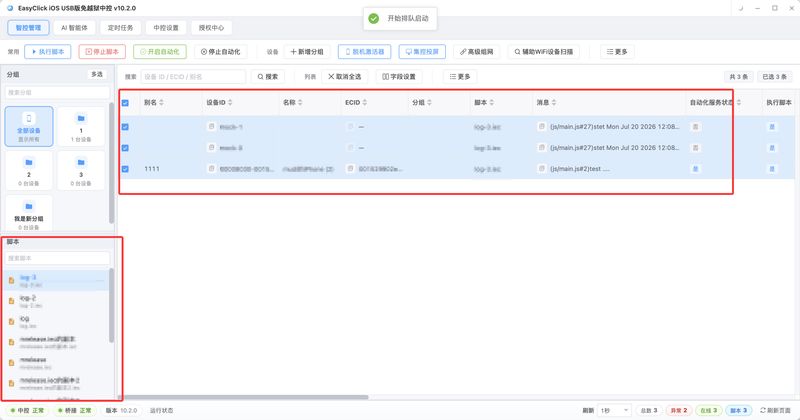
How to Write an iOS No-Jailbreak Script: Get One Tap Through First
The script calls startEnv to bring automation up, then clickPoint to tap one coordinate. If the service fails to start, or an old tunnel is still up on iOS 17, the tap never goes out.
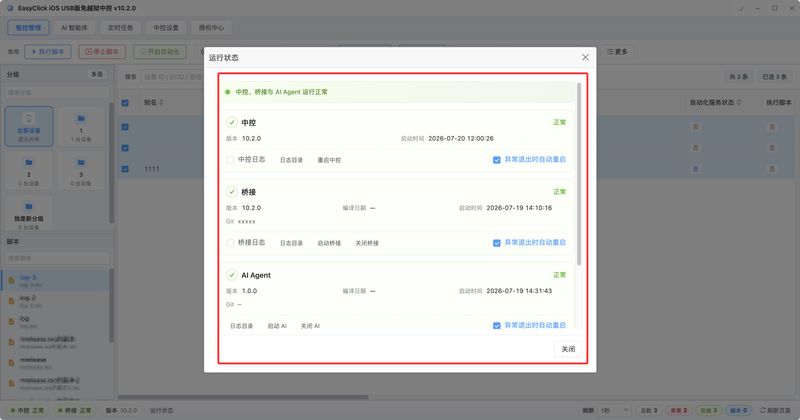
Driving iOS No-Jailbreak Scripts from Python: Open API Steps and Parameters
When do you actually need the API? The address, the request method, and the code/msg return convention, then how to get a deviceId, the USB HID order of open session, set resolution, then tap, what each of the eleven modules covers, and how to handle errors.
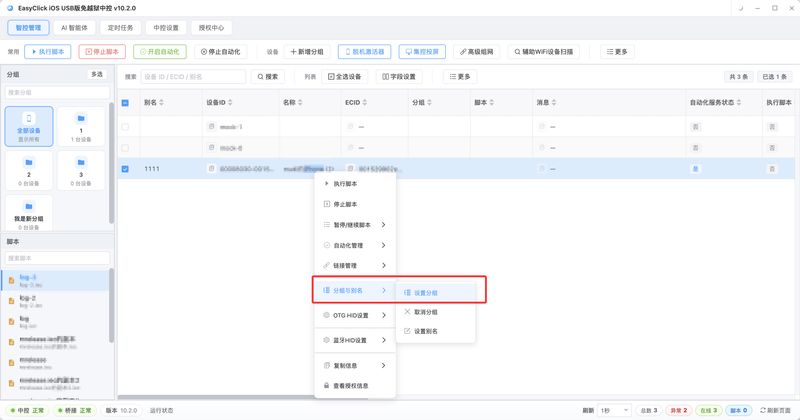
How to Bulk-List on Facebook Marketplace with Apple Cluster Control: Listing, Enquiry Replies, and Closing Out
An execution-side tutorial for multi-account Marketplace: split listing into prep and upload, how to split groups by region, how to sort enquiry messages into ones a fixed reply can handle and ones that need a person, and the three things the evening sweep has to cover. The steps can be followed as written.
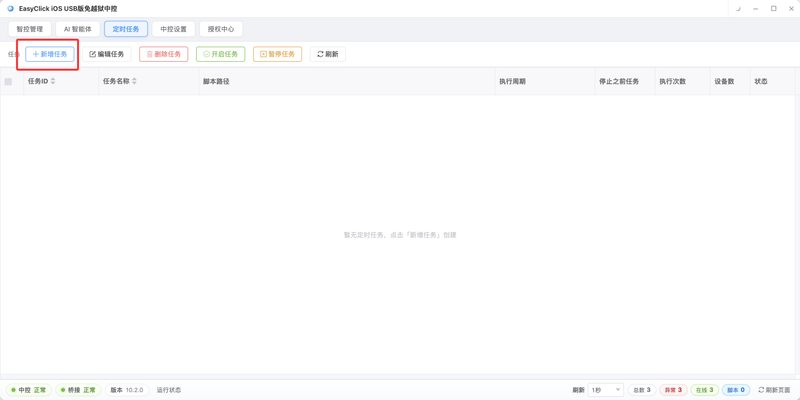
How to Post Instagram Stories in Bulk with Apple Cluster Control: A Daily Schedule and Sticker Setup
An execution-side tutorial for multi-account Instagram: how to set the times for three posts a day, how to stagger publishing, what extra layer to add when feed content becomes a Story, and how to split location stickers and hashtag stickers into per-account and per-content. The steps can be followed as written.
Android Automation ScriptsNo-root / ADB, platform comparison, tutorials
View all 14 →Android Script Development: The Full Path from Zero to a Live Run
A full-path guide to Android script development, from choosing a tool, installing the environment, and connecting a device, to writing the first script and deploying it to production. No-root Android automation in JavaScript.
AndroidScript TutorialAndroid Scripts for Beginners: How to Write a Phone Script with No Background, What It Can Do, and Which Pits to Avoid
How do you start with Android scripts and phone scripts? In plain language: what they can do, what to leave alone, how to get one phone running, and five pits beginners hit. No root.
AndroidAutomation TestingAndroid Automation Testing for Beginners: Run Your First UI Test Case on a Phone
A complete guide to Android automation testing: use a real Android phone in place of manual regression, compare it with a traditional Appium setup, and write your first automation test script step by step.
AndroidScript DevelopmentAndroid Automation Script Hot Update: Update Your Code Without Repackaging the APK
Push new Android script code without repackaging the APK: update.json configuration, the server response format, and auto-update on launch.
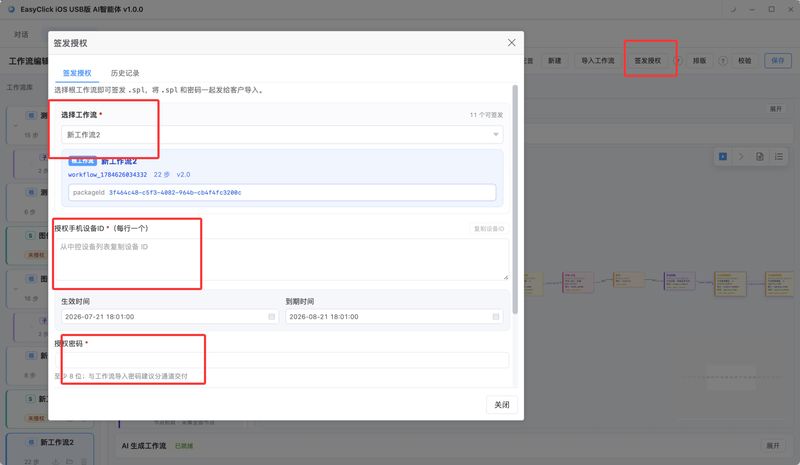
Android Script Obfuscation Against Cracking: javascript-obfuscator Configuration in Detail
How do you keep an Android script from being cracked? Installing javascript-obfuscator, a field-by-field look at obfuscator.json (control-flow flattening, string arrays, RC4 encoding), when to obfuscate, and the common pitfalls.
AndroidAI VisionAndroid Automation Script YOLO Object Detection End-to-End: From Labeling & Training to On-Device ncnn Inference
YOLOv8 object detection on Android: Anaconda setup, labelimg labelling, yolov8s training, exporting onnx/ncnn, and calling yolov8Api in EC scripts.
HarmonyOS AutomationHarmonyOS Next automation scripts & setup
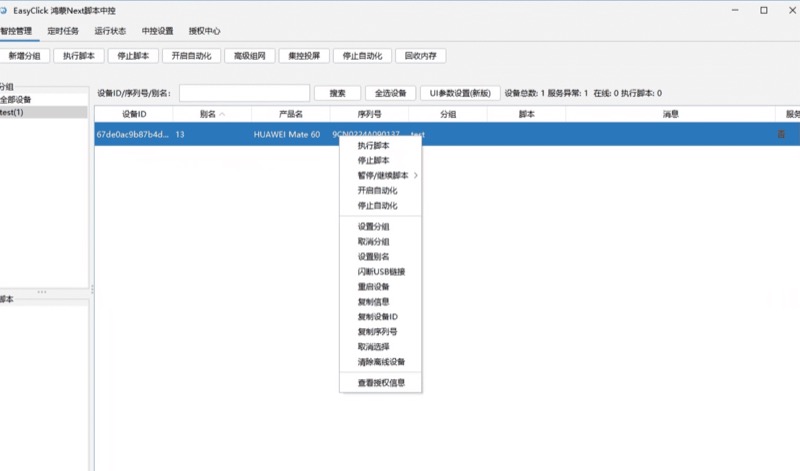
5 postsHarmonyOS Cluster Control Connected but No Device? Seven Checks to Run
HarmonyOS cluster control not connecting? Seven checks: missing components, a non-ASCII path, central control that won't start, USB debugging off.
Finding elements in HarmonyOS scripts: combining image match, color, and OCR
How does a HarmonyOS script find elements? OpenCV initialization and switching to the mat format, template screenshots and threshold choice, single-point color comparison and multi-point color matching, PPOCR and padding, and when YOLO is worth it.
HarmonyOSHarmonyOS automationHarmonyOS Automation Batch Publishing Tutorial: Getting Started with a HarmonyOS Next Multi-Account Matrix
HarmonyOS batch publishing from scratch: Developer Mode and USB debugging, installing central control, authorization binding, batch dispatch, log triage.
HarmonyOSCluster ControlWhat Is HarmonyOS Cluster Control? A Complete Guide to HarmonyOS Next Device Management
How does HarmonyOS Next cluster control actually work, how well do the major platforms support it, and which setup pitfalls should you avoid?
How Does HarmonyOS Cluster Control Work? Batch Phone Control and Screen Mirroring for HarmonyOS Automation
A look at HarmonyOS cluster control (batch control of HarmonyOS Next phones): workable paths for device mirroring, batch install, script automation, and cluster management, plus where the ecosystem stands and what to do next.
AI Agent AutomationNatural language drives phones to execute tasks
View all 7 →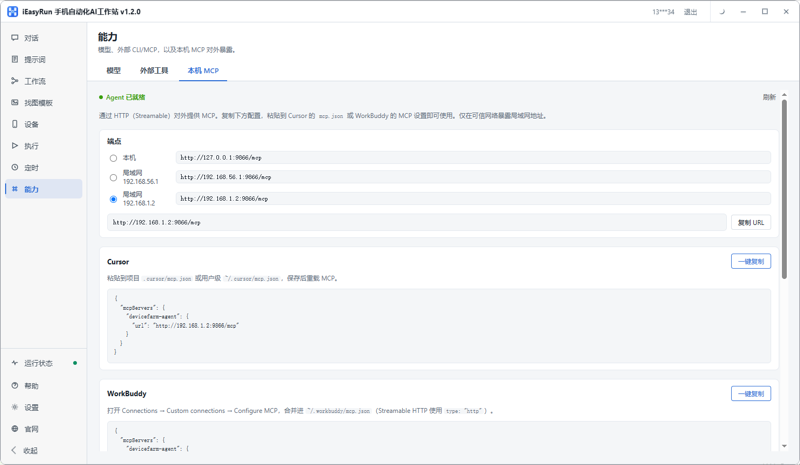
Handing Apple Cluster Control to an AI Assistant: iEasyRun MCP Setup Steps
How do you connect iEasyRun devices to an AI assistant such as Claude or WorkBuddy? Confirm the devices are online, copy the local MCP address, write it into the client config, and verify the link with four query tools, plus the order to check when devices do not show up.
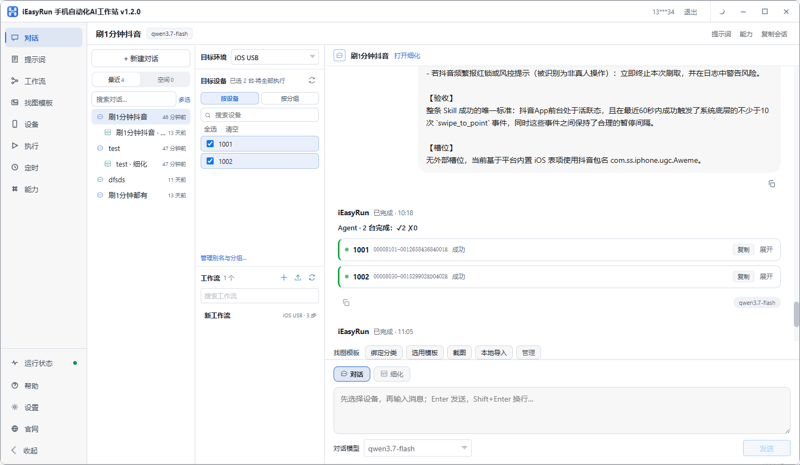
How do you inspect Apple cluster control devices? Steps in iEasyRun for offline and stuck phones
Practical steps for inspecting Apple cluster control devices: first name the three signals you need (online or not, stuck or not, an error or not), then cover adding devices and grouping them, walking online status on the Devices page, asking in chat which devices look suspicious, and using execution history to see which step they stopped on. The end covers how to schedule daily checks and periodic checks.
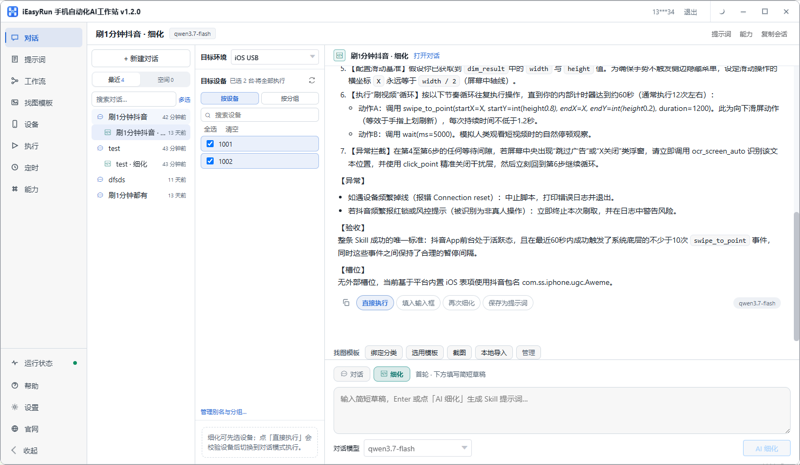
How Do You Do Apple Cluster Control If You Cannot Write Scripts? Getting Started with iEasyRun
An iEasyRun getting-started tutorial for people who do not write scripts: from download and install, scanning phones into the Devices page, giving tasks in plain language on the chat page, switching to AI refine mode when you need it, and saving steps that already run cleanly as a workflow, then how to open the execution log when it gets stuck. These steps can be followed directly in apple cluster control.
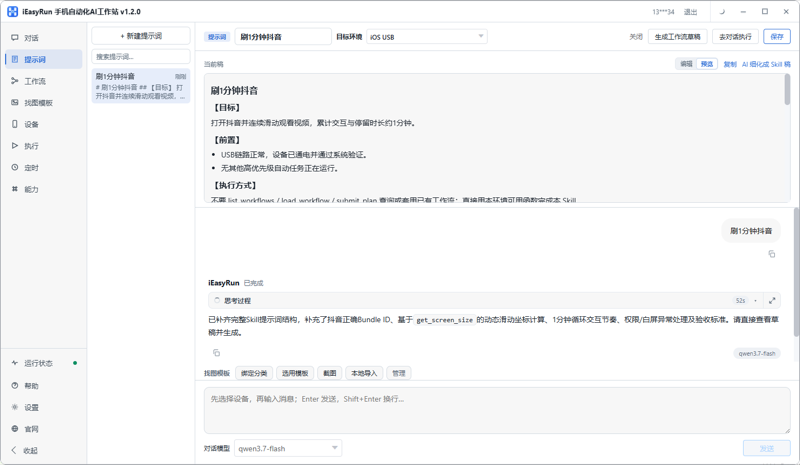
How Do You Handle a One-Off Task in Apple Cluster Control? iEasyRun Steps Without Writing a Script
Do not rush to write a script for a one-off task. This walks through iEasyRun in five steps: decide whether it really is one-off, add the devices to the library and confirm they are online, describe the task clearly in chat, check the execution log after the run, and save it as a workflow if it needs to repeat. The steps in this piece are based on an actual apple cluster control setup.
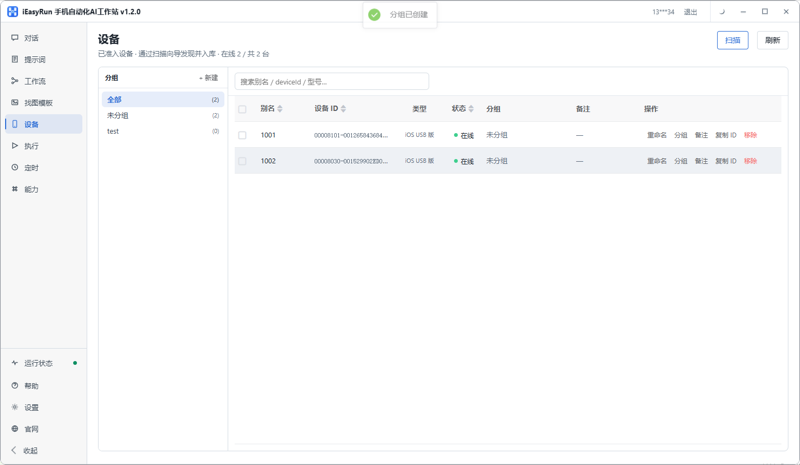
How Do Apple Cluster Control Scripts and AI Split the Work? How iEasyRun Is Set Up
How a team already using Apple cluster control scripts connects iEasyRun: sort out the split between the central control and the AI workstation first, then what each side has to prepare, how to make them see the same batch of devices, how to choose between two ways of doing the same task, and a troubleshooting order for when something goes wrong.
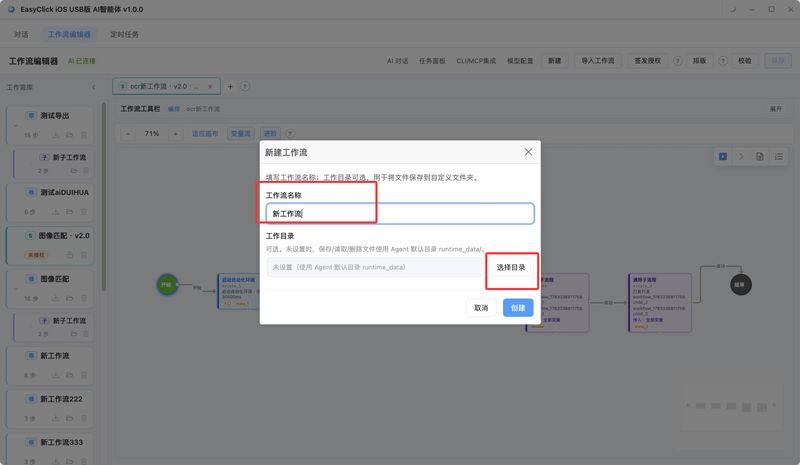
AI Agent Workflow Editor: Save and Export .spk
After you change the canvas, tap Save, or press Ctrl+S. On a Mac that is Cmd+S. When you hand a flow to someone else to run and they must leave the steps unchanged, export the root workflow as .spk.
Batch Ops · Automated TestingE-commerce, short-video, livestream & real-device testing
View all 8 →Android Automation + HarmonyOS Automation: A Unified Setup Tutorial for a Mixed Matrix
A setup tutorial for a mixed Android and HarmonyOS matrix: one automation system for two platforms. It covers directory and naming for the mixed matrix, connecting Android and HarmonyOS devices separately, grouping devices by platform, reusing scripts and parameters, dispatching tasks from one place and reading execution logs, the troubleshooting order in a mixed environment, and a checklist you can follow directly.
TikTokE-commerce OpsTikTok Customer Service Automation Script Tutorial: 24/7 Auto-Replies for Comments and DMs
TikTok cross-border customer service: how scripts watch comments and DMs, auto-reply by keyword rules, and hand off to a human — plus the hidden cost.
TikTokLivestream OperationsTikTok Unmanned Livestreaming Guide: Script Automation for Comment Replies & Scene Switching
TikTok unmanned livestreaming: how material loops plus automated replies work, what scripts do in a live room, and where the platform policy line sits.
TikTokBatch AutomationTikTok Batch Video Publishing Tutorial: From 10 Manual Posts to 100 a Day with Scripts
Automating TikTok video batch publishing: find the upload button by node, read the form state by OCR, stagger the schedule — and what 100 posts cost in time.
How to Write a Stable Mobile Automation Test Script: Locators, Waits, Assertions, and Working Backwards from a Failure
Execution-side notes from real-device batch regression: a case has to pass locator, assertion, layering, and reproduction. Why a wait cannot be a fixed sleep, which four things to capture at the moment of failure, the order for working backwards through five failure symptoms, and how to design the rerun.
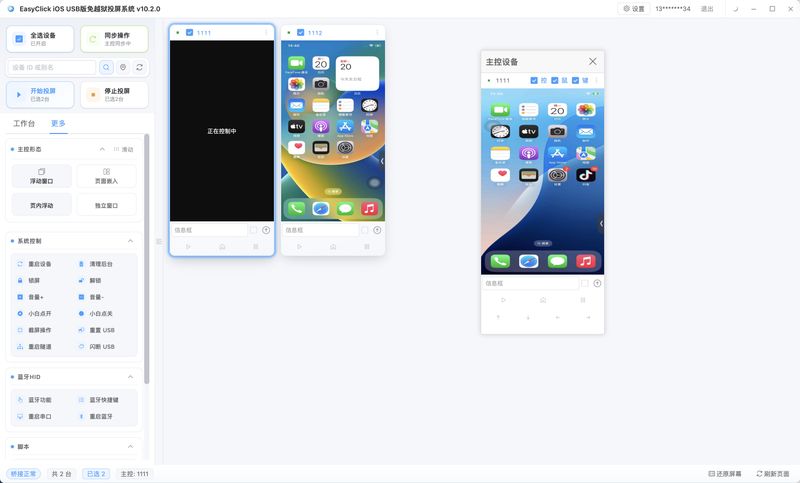
Batch Automation for a Short-Video Matrix and Livestreams: One Job This Week
This week does one job. Finished videos go out on schedule, and that is a publish batch. Someone is live, and after they go off you need to keep the viewer count and the comments, and that is livestream assist. Do not write both into the same script.
More Content
View all 12 →Android Cluster Control or Apple Cluster Control: Which Is Easier to Make Money With?
Someone who had both kinds of hardware ran them for more than half a year and then shut down the Android half. Android was working. The two platforms sat in one pool and the books would not close. This piece keeps the two sides separate: where the cost structures differ, where the revenue structures differ, and what the same budget buys in each layout.
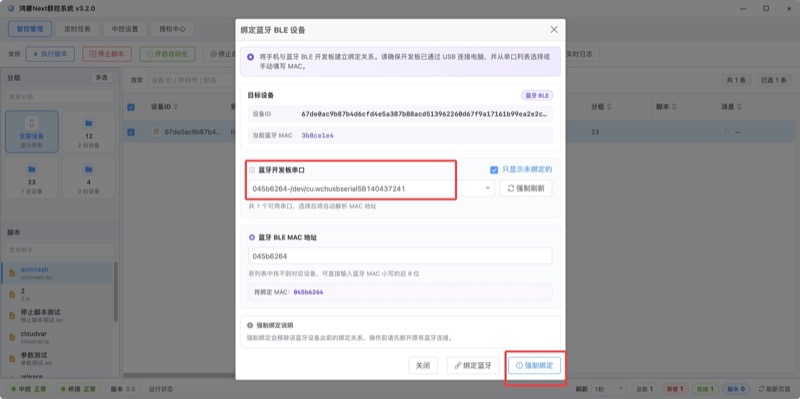
HarmonyOS cluster control Bluetooth HID: flashing an ESP32 and testing the bind
A step-by-step HarmonyOS cluster control Bluetooth HID tutorial: version requirements, how to choose ESP32-C3 or S3 and welded or non-welded firmware, flashing, binding BLE in the central control, and testing the path, plus troubleshooting for a link that will not connect and taps that land in the wrong place.
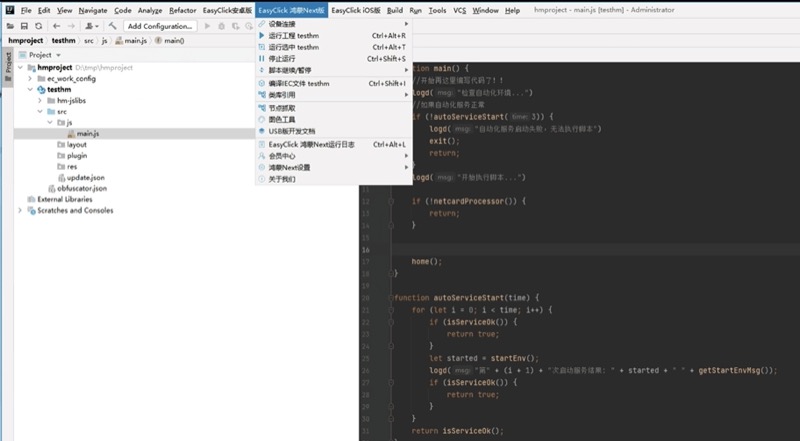
HarmonyOS cluster control mirroring: master control sync, text input, and OCR
Step-by-step HarmonyOS cluster control mirroring: the four-step path from the new central control into group mirroring, how to pick a mirroring scene, how master control relates to the sync switches, how proxy input differs from HID, where image transfer and HarmonyOS OCR live, and the order for checking a stuttering picture.
iOS scriptsYouTube publishingHow Do You Batch-Publish to YouTube with an iOS Script? One Script, Many Accounts
The hard part of publishing to YouTube is the slow upload, the number of fields, and the failure rate. This covers which actions to hard-code, which values must be parameters, how to set the wait and timeout for large-file uploads, and how to check and rerun after a batch finishes.
Android ScriptsTool ComparisonWhich Tool Should You Use for Android Scripts? A Side-by-Side Look at the Mainstream Options and the Technical Routes
People who search "Android scripts" are really choosing a tool. First the capability boundary of four routes, accessibility, ADB, image recognition, and HID hardware, then Auto.js, Tasker, RobotHelper, and Airtest one by one, plus a 30-minute verification method.
Android automationPlatform matrixAndroid Automation Batch Publishing Tutorial: How to Set Up and Run a Multi-Account Matrix
From gathering a computer, Android phones, accounts, and assets, through installing central control and connecting devices (how to choose among USB, ADB WIFI, and LAN WIFI), device grouping and batch rename, writing the publish script with parameters pulled out, and batch dispatch plus reading the log.