HarmonyOS cluster control means one computer managing many HarmonyOS devices (HarmonyOS Next). You watch the screens in one place and send commands in batch, the same class of setup as Android cluster control and Apple cluster control.
Where the new demand comes from, and what the technical path is
After HarmonyOS Next landed across the board, testing, operations, and enterprise device management all want to run real HarmonyOS phones in batch. “Can HarmonyOS be cluster-controlled” already has a clear answer in 2026: yes.
Three drivers. The installed base is growing, and batch demand follows. HarmonyOS Next no longer runs Android apps, so the Android-era toolchain cannot be reused as-is. Real-device compatibility tests, enterprise device management, and batch operations each have to be built on their own.
The demand is already here. The adaptation ecosystem is still early. Script libraries, debugging experience, and device lists accumulate first for the teams that start sooner.
Last month, on a customer site, they pointed an Android toolchain at twenty HarmonyOS phones and spent the afternoon on it. None of them connected. Protocol, signing, and interfaces all have to be wired again. Renaming one call does not fix it.
HarmonyOS cluster control keeps the usual batch-control pattern: device connection, mirroring, commands, batch install, script execution. The architecture is the same. The difference is how each step is implemented: protocol, interfaces, signing.
Teams that already run Android cluster control spend the migration mostly on interface adaptation.
Technical path:
| Step | How it is done | Notes |
|---|---|---|
| Device connection | USB / Wi-Fi into the control center | Similar to Android |
| Screen mirror | HarmonyOS mirroring onto the PC | Needs protocol adaptation |
| Command control | System automation API + accessibility-style interfaces | Native capability, no root |
| Batch install | Signed batch distribution of HarmonyOS packages | Uses the HarmonyOS signing system |
| Script execution | A script engine adapted for HarmonyOS | Syntax differs from Android |
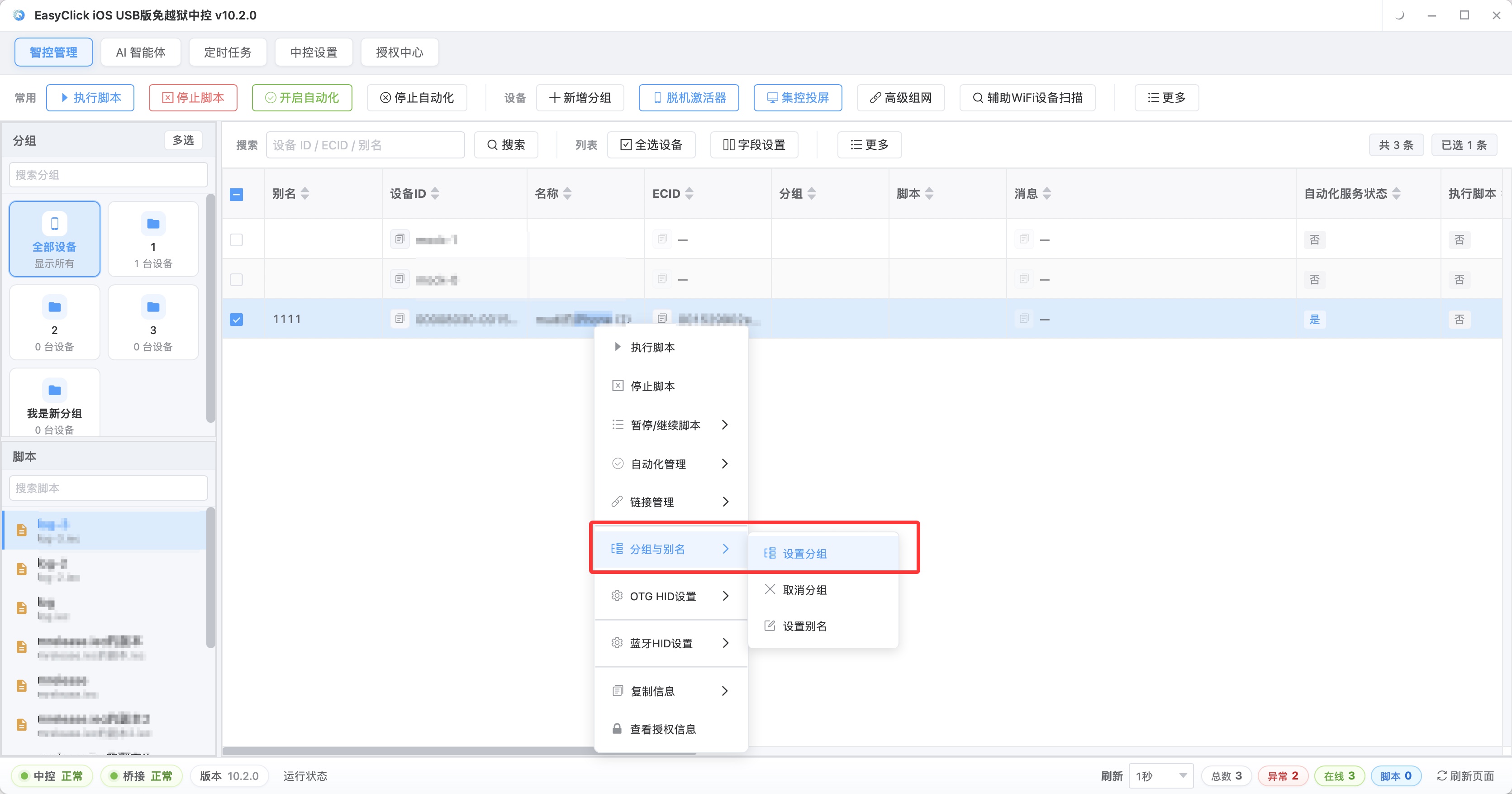
In day-to-day control, HarmonyOS devices can sit in the same management view as devices on other platforms. The left side of the control center groups by platform or business line (for example “HarmonyOS test group” and “HarmonyOS operations group”). The middle area shows online status and battery for each device. Select a whole group and you can push the same automation flow to all of them.
What each step needs. Device connection is USB direct or LAN access, and the focus is HarmonyOS drivers and connection tools. Screen mirroring has to match the HarmonyOS mirroring protocol, and the measurement that matters is concurrent stability and delay across many devices. Command control uses HarmonyOS system automation APIs and accessibility-style interfaces, with no root and no damage to the system. Batch install sends packages through the HarmonyOS signing system. Internal testing and formal distribution sign differently, so confirm the method and the renewal process early. Script execution needs HarmonyOS interface wrappers.
When you evaluate a plan, a single feature such as “it can mirror” or “it can install an app” is too thin. Walk the whole chain, one step at a time. Any incompatible step stops the whole run.
On deployment. USB access depends on driver adaptation and multi-device concurrency, and the hub needs enough power. Wireless access needs the HarmonyOS devices and the control center on the same network. Mirror stress tests should measure delay and stability while many devices mirror at once. Stress tests should cover the HarmonyOS versions you target.
For the room, give HarmonyOS its own test area. Fixed devices, a separate network, isolated accounts, managed apart from the Android and iOS pools.
Where it differs from Android
| Dimension | HarmonyOS (HarmonyOS Next) | Android |
|---|---|---|
| App ecosystem | HarmonyOS native apps | Android apps |
| Automation interfaces | HarmonyOS system API + accessibility-style | ADB + accessibility service |
| Script compatibility | Needs HarmonyOS adaptation | Mature ecosystem |
| Toolchain maturity | Growing fast | Very mature |
| Batch management demand | Rising fast | Already saturated |
Three practical effects on a team. Android script logic can be borrowed, while calls and element location have to be adapted for HarmonyOS. Compatibility testing goes from Android plus iOS to three ecosystems. A platform that already did the HarmonyOS work saves a block of in-house development.
HarmonyOS adaptation means writing scripts and tuning interfaces, then regressing after system updates. For most teams, a platform that is already adapted costs less.
HarmonyOS cluster control needs its own adaptation. An Android plan stays on Android.
How scripts adapt to HarmonyOS
The script-writing bar is similar to Android. Basic actions come from recording plus parameter changes. Complex logic needs script syntax. Three things decide it: whether the platform wraps HarmonyOS UI actions, element location, and system interaction; whether you can debug live, step through, and inspect the element tree; whether HarmonyOS sample scripts and docs are complete.
Use this table against candidate platforms. A blank cell is a piece you would build yourself. More blanks mean a higher cost to land:
| Capability | Wrapped interface | Sample script | Debugging |
|---|---|---|---|
| UI tap / swipe / input | |||
| Element location | |||
| System actions (notifications, permissions) | |||
| Batch install | |||
| Screenshot / screen recording |
Moving an Android script to HarmonyOS splits into three blocks. The logic layer (business decisions, loops, data handling) can be reused as a whole. The action layer (tap, swipe, input) has to be wired to HarmonyOS APIs. The location layer has to be rebuilt against the HarmonyOS UI system. Keep the logic. Rewrite the interfaces.
A workable development order. First run the simplest flow (open the app, tap, assert) and confirm the interfaces respond. Then fill in the core business path and add branches and error handling. Then verify in batch. After a version update, regress the full script set.
You need: HarmonyOS test devices that cover mainstream models and the system versions you target; a signing and distribution flow for batch install; people who know HarmonyOS automation interfaces.
Who needs it, how to land it, and where it fails
These groups need HarmonyOS cluster control now. App test teams, where HarmonyOS real-device compatibility and batch regression are the most urgent jobs. Enterprise device management, for batch setup, batch upgrades, and batch app install. Operations teams, for batch tasks on the HarmonyOS side. MCN and social-media matrices, for publishing content across many HarmonyOS devices.
Land it in three steps. Inventory the devices you already have and the scenes you run, and list the 3 highest-frequency batch tasks. Pick a platform that already adapted HarmonyOS, and require a real-device trial and a stress test (including multi-device concurrency and reconnect after a drop). Get one task running on 3 to 5 devices, then grow, and review the success rate each week.
On staffing. A test team assigns 1 person to the HarmonyOS device pool and script adaptation. An operations team has 1 person lead script maintenance and the platform connection. Decision makers put HarmonyOS capability into the tool plan for the next 1 to 2 years. On a small team the role can be part-time, and one person still owns the HarmonyOS adaptation through to the end.
On budget, toolchain spend during the HarmonyOS adaptation period can run higher than Android. Plan it in two stages: a 3-to-5-device pilot, then full coverage. Put version-compatibility regression into daily operations at the same time.
The places that fail most often at selection and kickoff. Treating HarmonyOS as Android: toolchain, signing, and scripts all need a fresh adaptation. Waiting until the ecosystem is mature: demand is already rising, and the scripts, flows, and people you accumulate early are the head start. Ignoring signing and distribution: I have seen three projects stall batch install on the signing flow. Testing only new phones: the HarmonyOS version span is wide, and older devices belong in the pool too. Pricing an Android plan as if it were HarmonyOS: check whether the other side actually has a HarmonyOS adaptation.
Ask for a HarmonyOS interface list. A vendor who cannot produce one is usually still selling an Android plan under a new name.
About EasyClick: A mobile automation script development platform covering three phone ecosystems: Android without root, iOS without jailbreak, and HarmonyOS. It also offers Apple script writing, Apple cluster control, Android cluster control, remote cloud control, and AI phone cluster control. → Explore all products
Ready to build it for real?
Every approach in this article can be built with EasyClick capabilities on iEasyClick — full documentation, developer tools and automation products, free to try.