How to Set Up No-Signature iOS Automation Scripts: The Full USB HID No-App-Install Walkthrough
Setting up no-signature iOS automation: connect the device, start the USB HID session, set the screen size, run your first tap — no IPA signing needed.
iOSUSB HIDHow Do You Write an iOS Script with USB HID? A Full Tutorial with No Jailbreak, No Signature, and No Hardware
Run Apple cluster control on one data cable, with no jailbreak, no signature, and no hardware: from opening a session and setting the screen size, through taps, swipes, text input, and multi-touch, with code samples and coordinate conversion.
What Long-Running Apple Cluster Control Does to the Phones, and the Weekly Maintenance
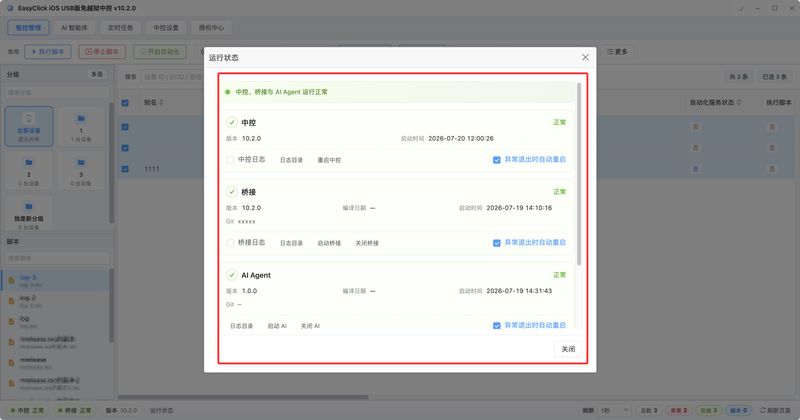
For Apple cluster control that runs for a long time, look at four items on each device every week: whether it still takes a charge, whether the body is hot, whether it has had a full restart, and how much storage is left. If one item is off, keep that device out of long tasks.
Independent IPs for Cluster-Control Batch Work: Write the Exit on the Router and in the Ledger
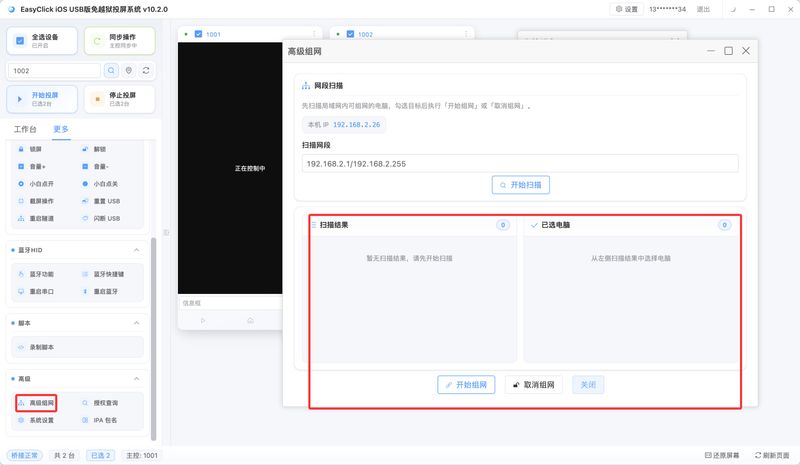
Each phone keeps a single exit. The proxy host, port, and protocol go in the soft-router rule that forwards by LAN IP, and they are copied into the ledger. On a disconnect, do not fall back to the office broadband.
How to Drive iOS Scripts with AI Chat: Example Phrases and Fixed Commands
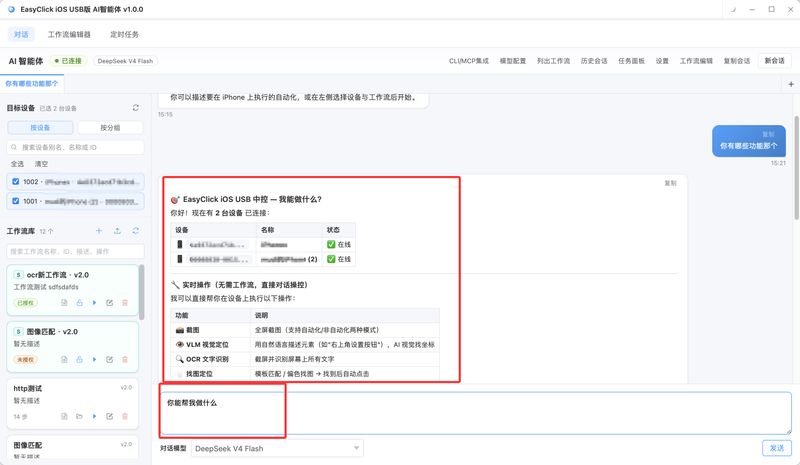
How do you drive an iOS script with AI chat? How to tell apart the phrases for screenshots, OCR, image search, color-shift image search, and visual location, plus the fixed commands when no large model is configured, and how to lock a workflow and troubleshoot.
AndroidiOSNetwork License Verification for Android & iOS Automation Scripts: Device Fingerprint + Heartbeat Fault Tolerance
Licence and card-key setup for Android and iOS scripts: appid creation, licence binding, device fingerprints, heartbeat tolerance and hot updates.
Your first phone script: trust, Bundle ID, and Start Automation
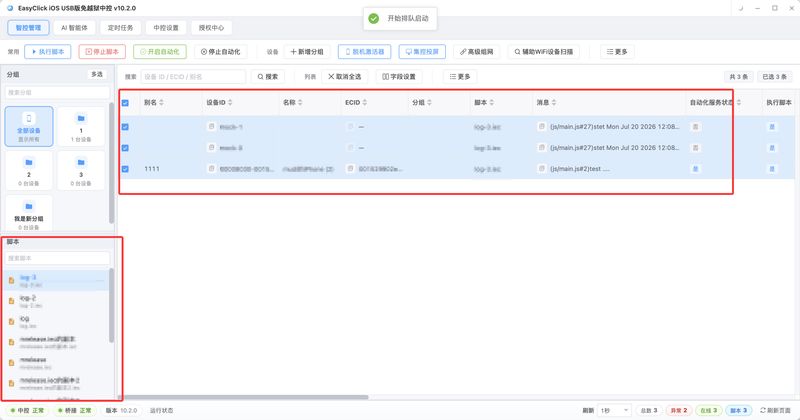
If the phone does nothing after you tap run, check whether the developer app was trusted, whether the signed Bundle ID collided with the default, and whether Start Automation in the central control has turned to Yes.
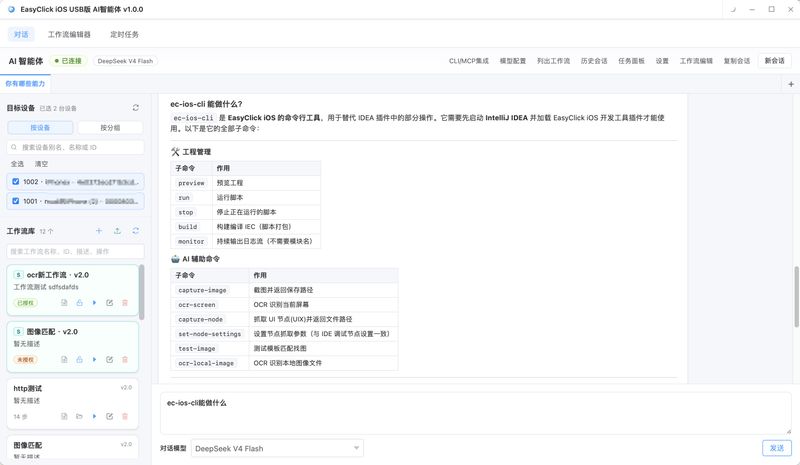
An AI Agent Directs an iPhone in Natural Language
Check a device on the left and write one request in the input box. When something needs to run, a task is created. Open the task panel to see which step each phone has reached.
iOSRisk ControlHow to Avoid Risk Control in iOS Automation Scripts: The No-Screen-Mirror Screenshot Principle
How do iOS scripts lower the odds of risk flags? Mirroring vs no-mirror screenshots, how captureFullScreenNoAuto works, and the risk-sensitive operations.
Apple Cluster Control iPhone Batch Operations: What the Offline Activator Does
The offline activator writes the device ID and handles the developer disk image and pairing certificate. Photo-library copy, login accounts, and each phone exit proxy are outside these buttons.
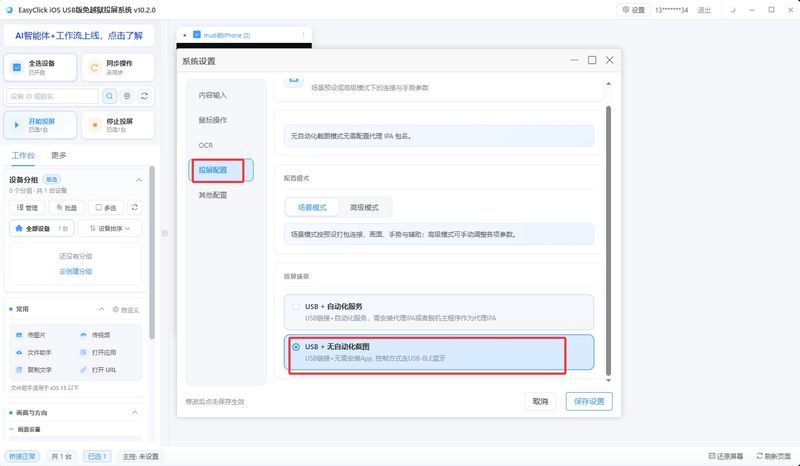
iOS No-Jailbreak Bluetooth HID: Run Scripts Without Installing a Proxy
Taps go through the Bluetooth board, and the phone can skip the proxy IPA. On the computer you still bring your own ESP32C3 and flash the iOS USB Bluetooth firmware. Screenshot without automation on iOS 18 and later is a separate tier.
Apple Cluster Control Device Capacity: Look at Power, the Hub, and Heat First
This does not give an upper limit for how many phones one computer can control. When you keep adding iPhones to the same PC, power usually fails first, then the hub, then the heat of the whole stack.