Three Levels of Text Input for iOS Scripts
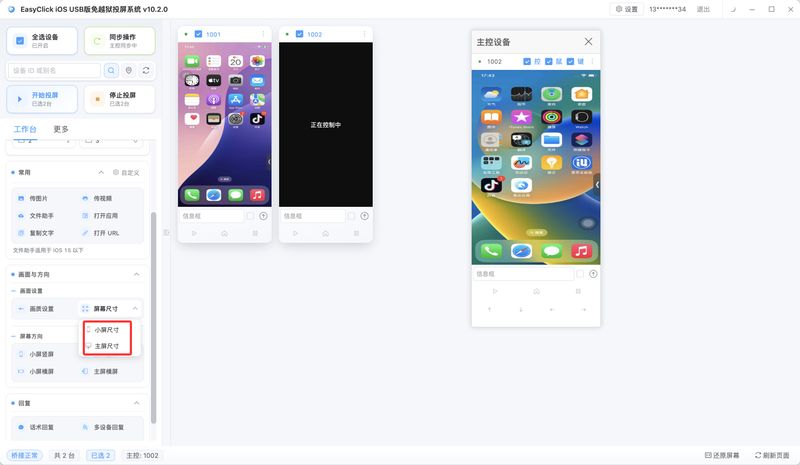
Pick the input path by system version: clipboard, HID keyboard, or the offline input method. Below iOS 15, use the clipboard and the file assistant. When the offline main program can be installed, use the offline input method.
Apple Cluster Control Mirroring: What Each No-Jailbreak Path Cannot Do
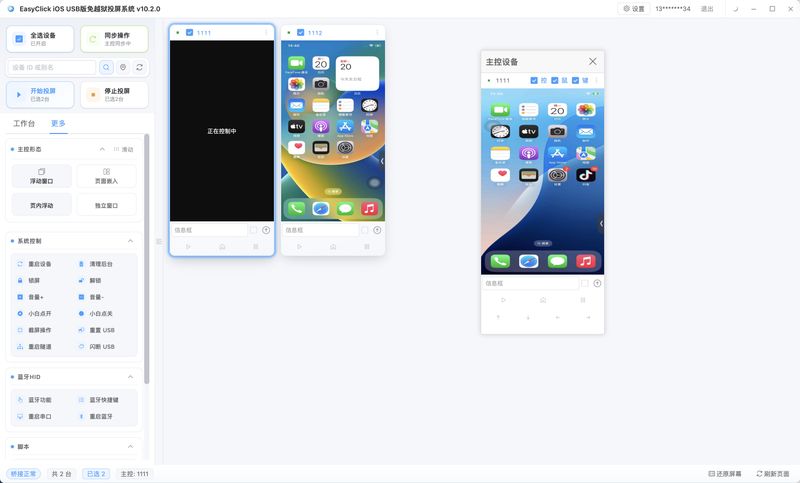
System mirroring and wired mirroring cannot send taps back to the phone, and they cannot send items into Photos. USB HID can tap, and without the main program, Photos and a custom input method are unavailable.
iOS No-Jailbreak Offline Main Program: Single App and Dual App
From 7.0.0 there is single app and dual app. Single app installs only the main program. Dual app also signs a proxy IPA. For a no-paid-fee test, install the package already signed on the download page.
iOSOTG HIDiOS No-Jailbreak OTG HID Automation: No-Signature on iOS 17+ Without Bluetooth Interference
iOS no-jailbreak automation via OTG HID: an ESP32S3 board connects by wire — no signature, no proxy, immune to Bluetooth interference.
iOSProxy ModeiOS Automation Script Proxy Mode Tutorial: From Signed IPA to Your First Working Script
The zero-to-one proxy mode workflow: IPA signing, disk image flashing, licence binding, starting the service, your first script — plus common error fixes.
iOS Scripts, a Step Further: Shortcuts and Full Keyboard Access
The morning shift pastes a title from the computer into the publish-page field, checks notifications and the network, then returns to the Home Screen. The phone and the central control bind five keys from the same table.
Commercializing an iOS Script Workflow: .spk, .spl, and Signing on the Phone
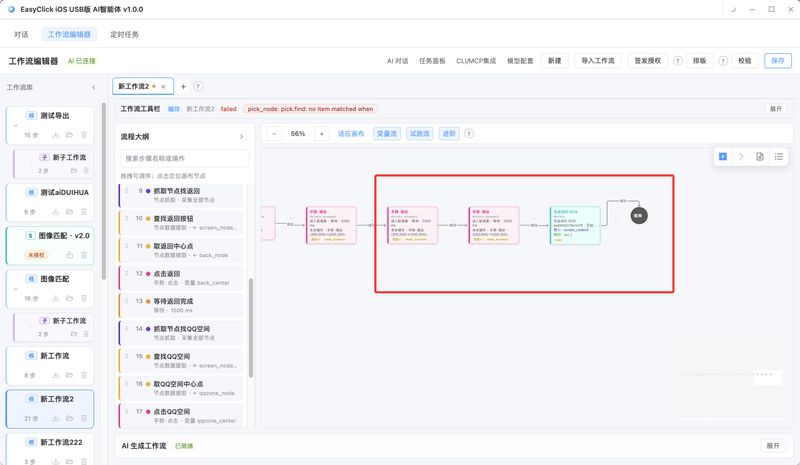
What the buyer receives is a .spk. A sealed flow also needs a .spl license. To run it on a real phone, a signed main program still has to be installed. Dual-app also needs the proxy IPA signed.
Apple cluster controlNo jailbreakiOS Cluster Control Without Jailbreak: Start Automation and USB HID
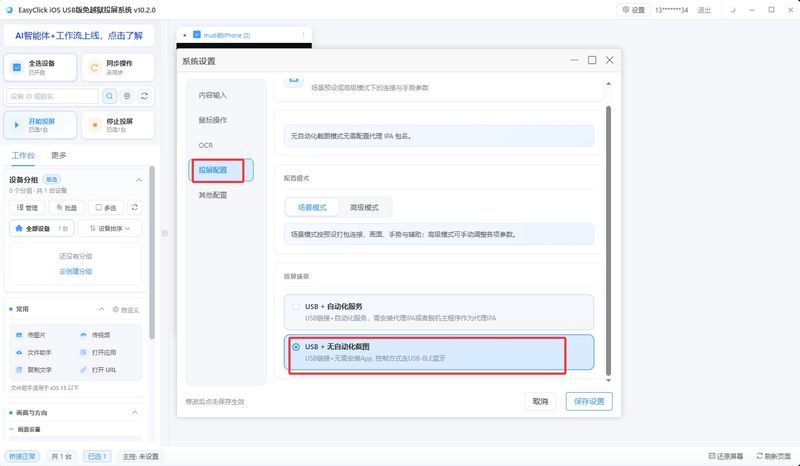
Pick the iOS no-jailbreak cluster-control path by system version. When you need UI nodes, open Start Automation with the offline main program. On iOS 17 and later, when you only tap through a data cable, use USB HID. The two cannot be on at the same time on one phone.