Leave the Android group as it is. ADB and accessibility are still the path for Android phones. When iPhones are added, create a separate group for them in the central control first, then pick one path for that group. Android scripts stay on Android devices.
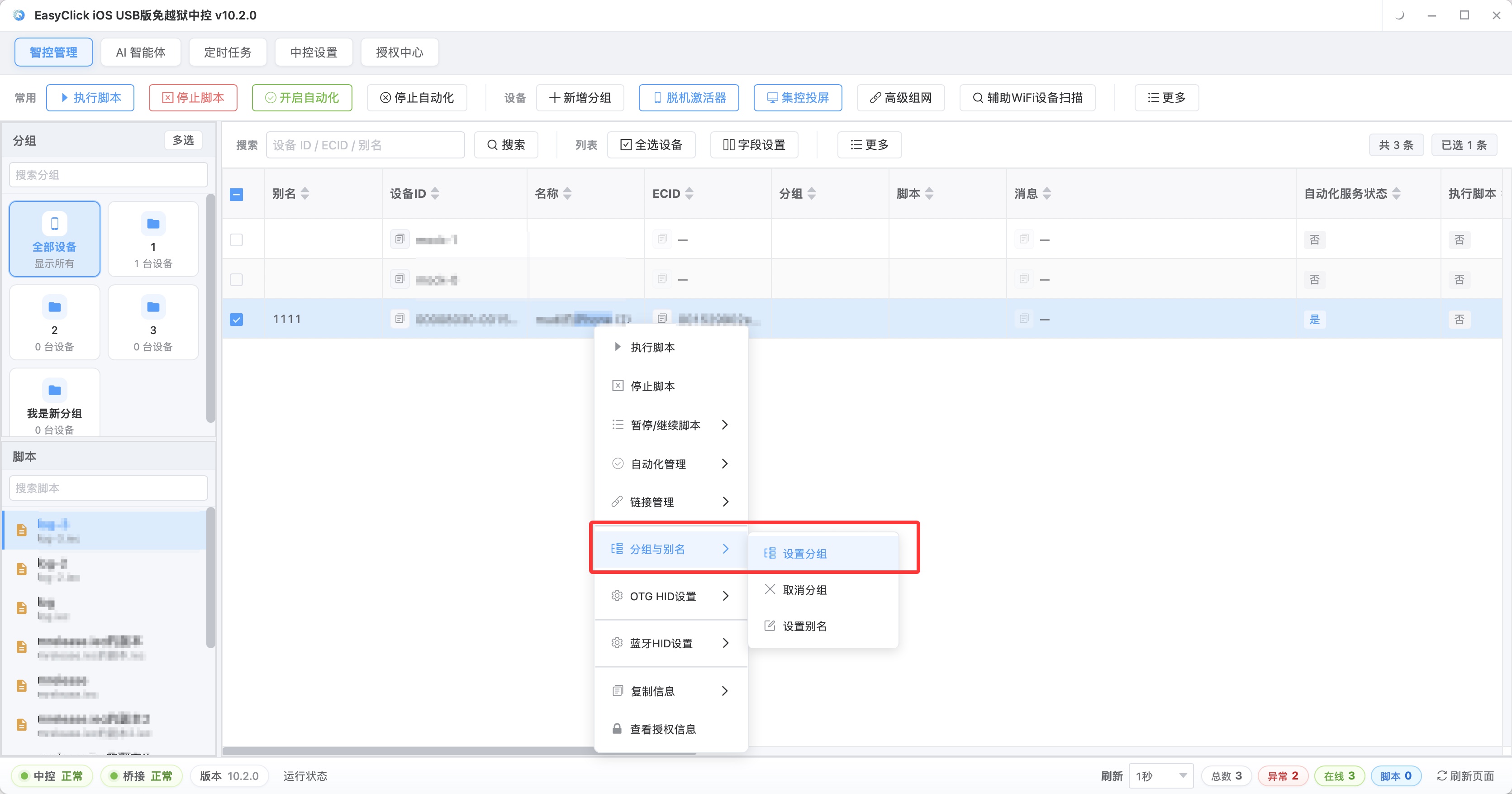
An iPhone has no ADB, and it has no accessibility service of the Android kind. No-jailbreak means the system is left unchanged. The usable entries are the automation program after a signed install, or USB HID.
Nodes: sign, then start automation
On iOS 15 or later, offline main program v7.2.0 or later can serve as the USB automation program. The official download page has a pre-signed IPA. Install that first and confirm the central control can start automation on this iPhone.
From 7.0.0 there are two engines:
| Engine | Package to install |
|---|---|
| Single-app | Install only the main program. In the app’’s automation options, choose single app, save, then turn automation on |
| Dual-app | Sign the proxy IPA in addition to the main program. If the service drops, self-activation can bring it back |
On the single-app signing list there is only the main program. If the phone has to sit unattended and come back up after the service drops, add the proxy IPA and switch to dual-app.
When the test package on the download page is no longer for long-term use, sign with an Apple individual developer account: 688 yuan a year, up to 100 devices, supporting iOS 12 or later. That charge is the signing fee. The offline build itself still requires iOS 15 or later. An iPhone below that version cannot install this main program.
Scripts on this path call startEnv, and nodes use selectors such as label. When you move a step that taps a node over from Android, move only the business order, and swap the event object for the iOS one.
No IPA to sign: USB HID, and do not start automation
From EC iOS USB 10.7.0 (2026-09-08) you can use USB HID. No Bluetooth board, and no OTG board. The phone system has to be iOS 17 or later. Connect with a data cable, and have the phone trust the computer.
This path is mutually exclusive with “start automation.” In the script, use usbHidEvent.sessionStart, then setScreenSize, then clickPoint. Do not call startEnv in the same file. When you need a screenshot, use the screenshot function that does not use automation.
Phones below iOS 17 stay out of the USB HID group. If they are on iOS 15 or 16, use the signing and start-automation path in the previous section.
Groups can be remembered like this:
| Group | Devices | Calls that show up in the script |
|---|---|---|
| Android | Existing phones | ADB, accessibility |
| iPhone automation | iOS 15 or later, main program installed | startEnv, nodes |
| iPhone HID | iOS 17 or later, automation not started | usbHidEvent |
One iPhone goes into only one of the last two groups. Run the chosen path through one tap on a single iPhone first, then put phones on the same system into the same group.
About EasyClick: A mobile automation script development platform covering three phone ecosystems: Android without root, iOS without jailbreak, and HarmonyOS. It also offers Apple script writing, Apple cluster control, Android cluster control, remote cloud control, and AI phone cluster control. → Explore all products
Ready to build it for real?
Every approach in this article can be built with EasyClick capabilities on iEasyClick — full documentation, developer tools and automation products, free to try.